Create and manage API keys
Last updated: July 2, 2026
Use this article when you need an API key for automation, integrations, CI pipelines, or API access.
Key types
- Personal API key: scoped to your user account and optionally restricted to specific workspaces.
- Workspace API key: scoped to one workspace and managed by workspace admins.
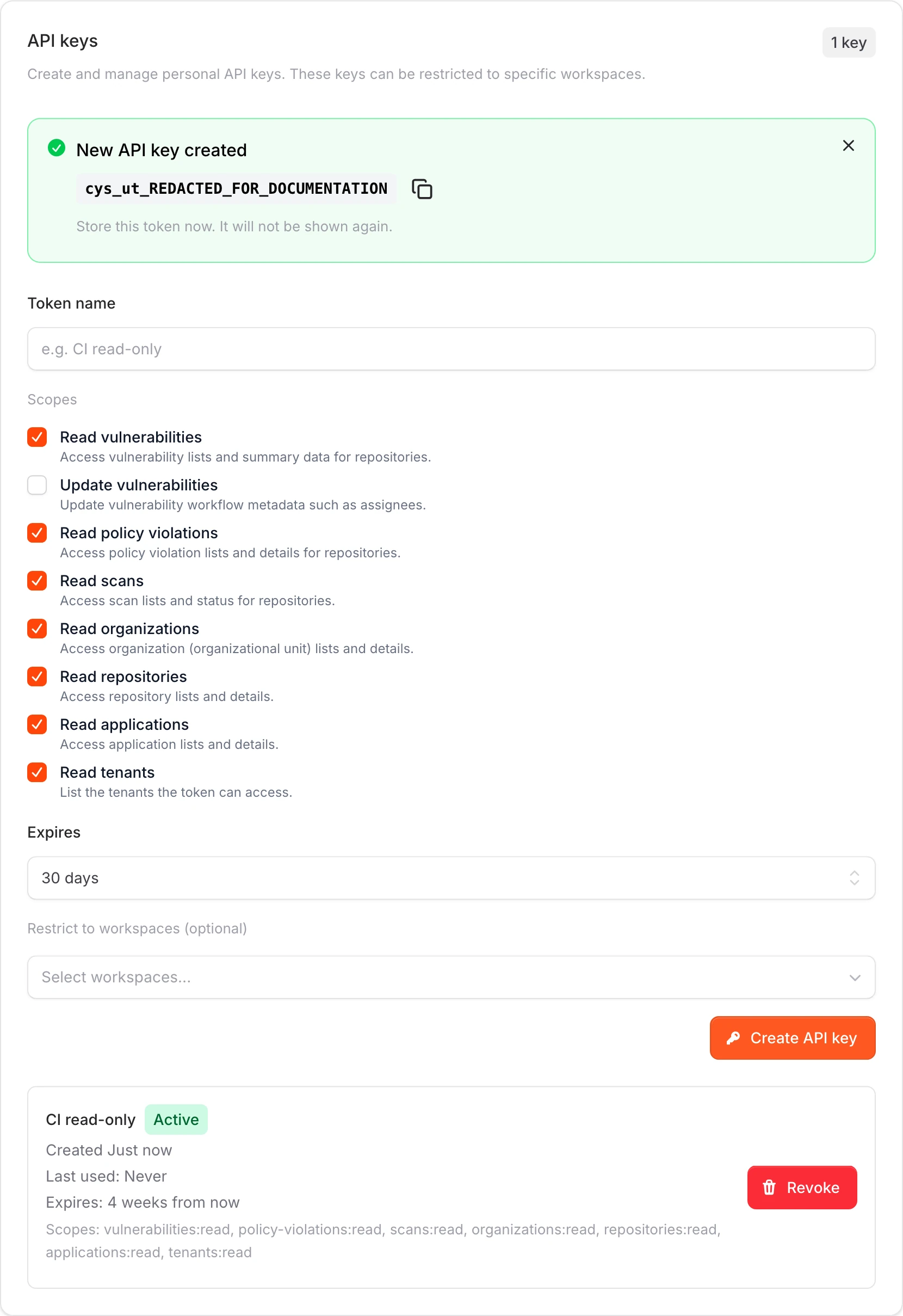
Create a key
- For a personal key, open the Workspaces page, select Security, then go to API keys.
- For a workspace key, open workspace Settings, then Security. Admin access is required.
- Enter a descriptive token name, choose scopes, and choose an expiration.
- Select Create API key, copy the value immediately, and store it in a secrets manager.
Scopes and lifecycle
- The default scope set includes read access for vulnerabilities, policy violations, scans, organizations, repositories, applications, and tenants.
- Use
applications:readfor application list endpoints andtenants:readfor tenant list endpoints. - Existing keys keep the scopes selected when they were created. If a key predates those scopes, create a new key with the current scopes.
- Write access must be selected explicitly.
- Keys can be Active, Expired, or Disabled.
- Revoking a key permanently disables it.
Canonical docs
For the maintained walkthrough and reference, see Manage API keys and API keys.
Contact support if
- You cannot create, restrict, or revoke an API key.
- A key has the expected scopes but API requests are denied.
- You need help choosing between a personal key and a workspace key.