Create tickets from vulnerabilities
Last updated: June 25, 2026
Use this article when you want to create a Jira or Linear ticket from a Cysmiq vulnerability and track remediation outside Cysmiq.
What to check first
- Confirm a ticketing integration is connected in Settings, then Integrations.
- Open the vulnerability you want to track.
- In the sidebar, open Ticketing.
- Select Create Ticket.
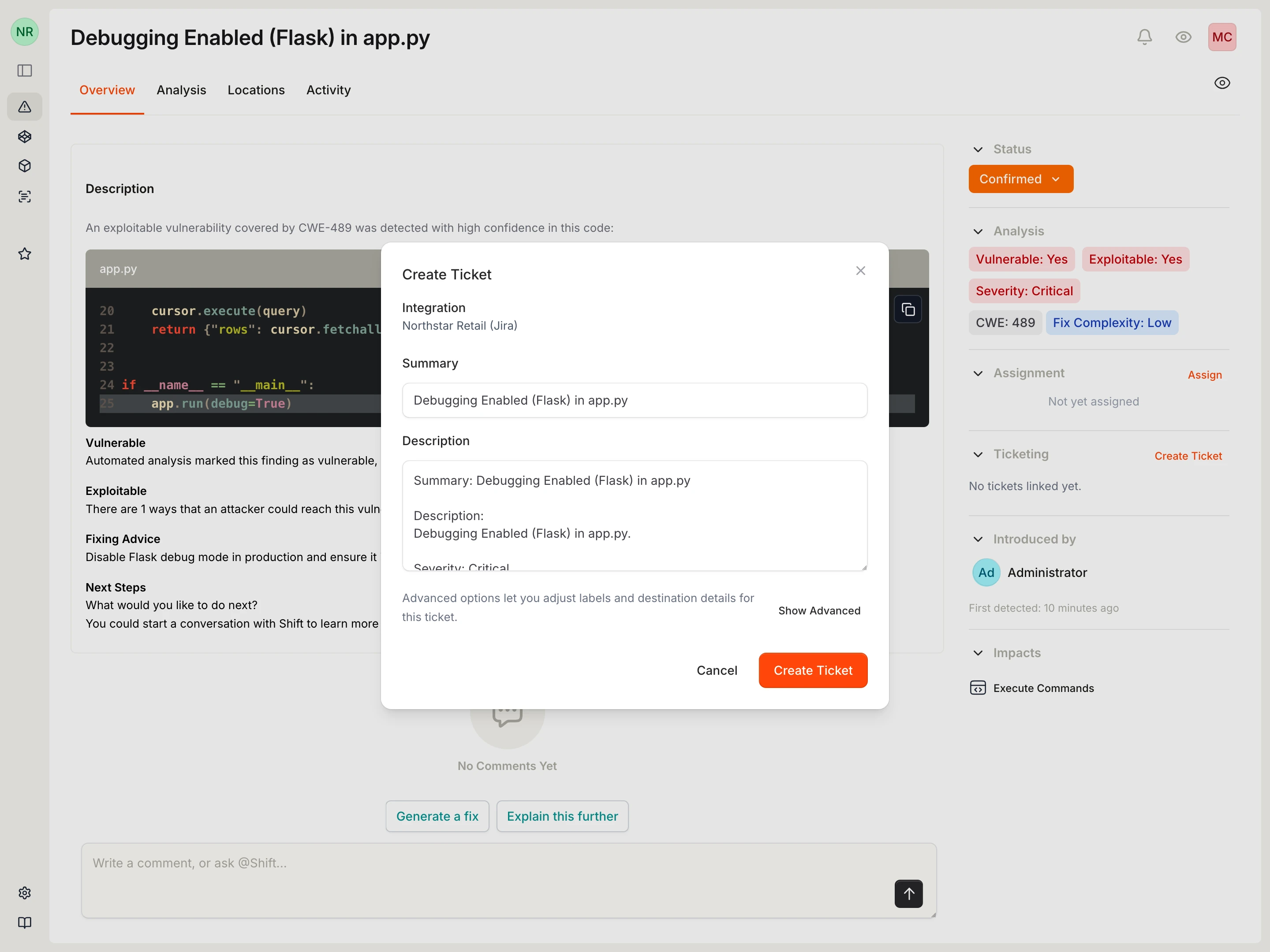
Ticket fields
- Summary and Description: prefilled from the vulnerability and editable before creation.
- Tags: available under advanced options.
- Jira: supports project key and issue type overrides.
- Linear: supports team key, team ID, and state ID overrides.
After creation
- The linked ticket appears in the vulnerability Ticketing panel.
- The panel shows provider and status information when available.
- If no ticketing integration is active, Cysmiq shows a placeholder instead of the create action.
Canonical docs
For the maintained reference, see Tickets and Create tickets.
Contact support if
- The Create Ticket action is missing even though a ticketing integration is connected.
- Ticket creation fails or creates a ticket in the wrong destination.
- The linked ticket status does not update in Cysmiq.